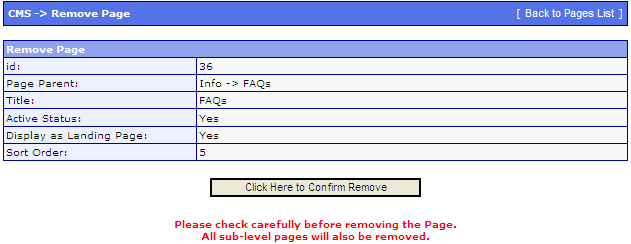
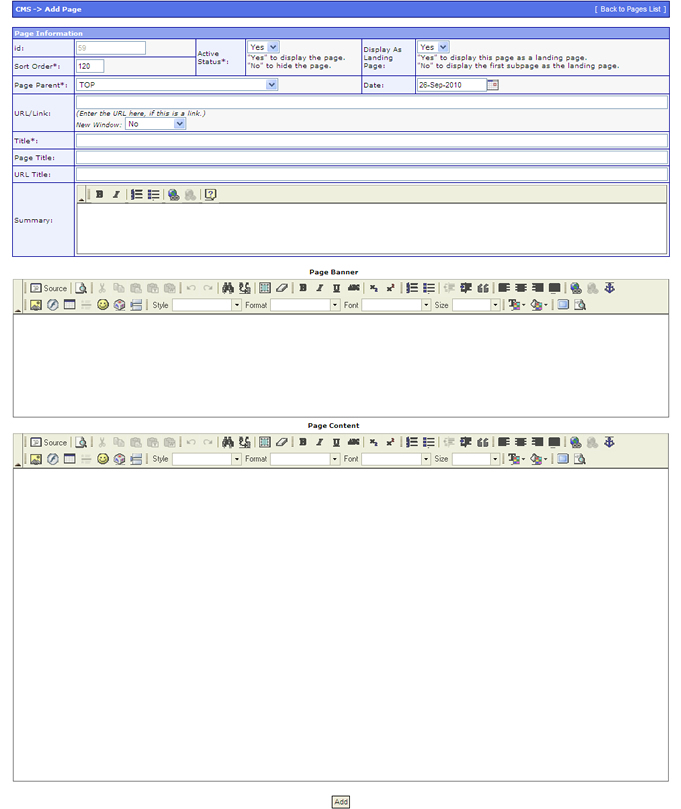
| id: |
System Generated Page ID |
| Sort Order: |
Assign a number to display the pages in ascending order. |
| Active Status: |
"Yes" to display the page.
"No" to hide the page. |
| Display As Landing Page: |
Can be ignored. |
| Page Parent: |
To indicate the page's parent. |
| Date: |
Key in the date the page was first created. |
| Title: |
The "title" of the page that will appear on the website header of sub-menu. |
| Page Title: |
The "title" that will appear on the browsers title bar.
You can leave it blank to copy the "Title" from above. |
| URL Title: |
This can be used if Apache mod_rewrite has been enabled.
It allows you to give a Human Readable Name for the page's URL instead of system generated URL.
This is more user friendly for Search Engines to index pages. |
| Summary: |
You can write remarks here for your own private access. |
| Page Banner: |
The content for page banner can be updated here. |
| Page Content: |
This is where you update the page's main content body. |
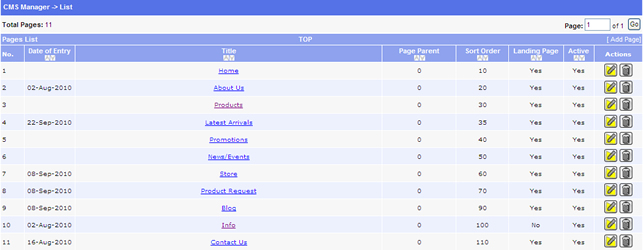
 ) located under the "Actions" column found on the right.
 ) located under the "Actions" column found on the right.